Clear diagnostic trouble codes and monitor DPF status in BMW vehicles.
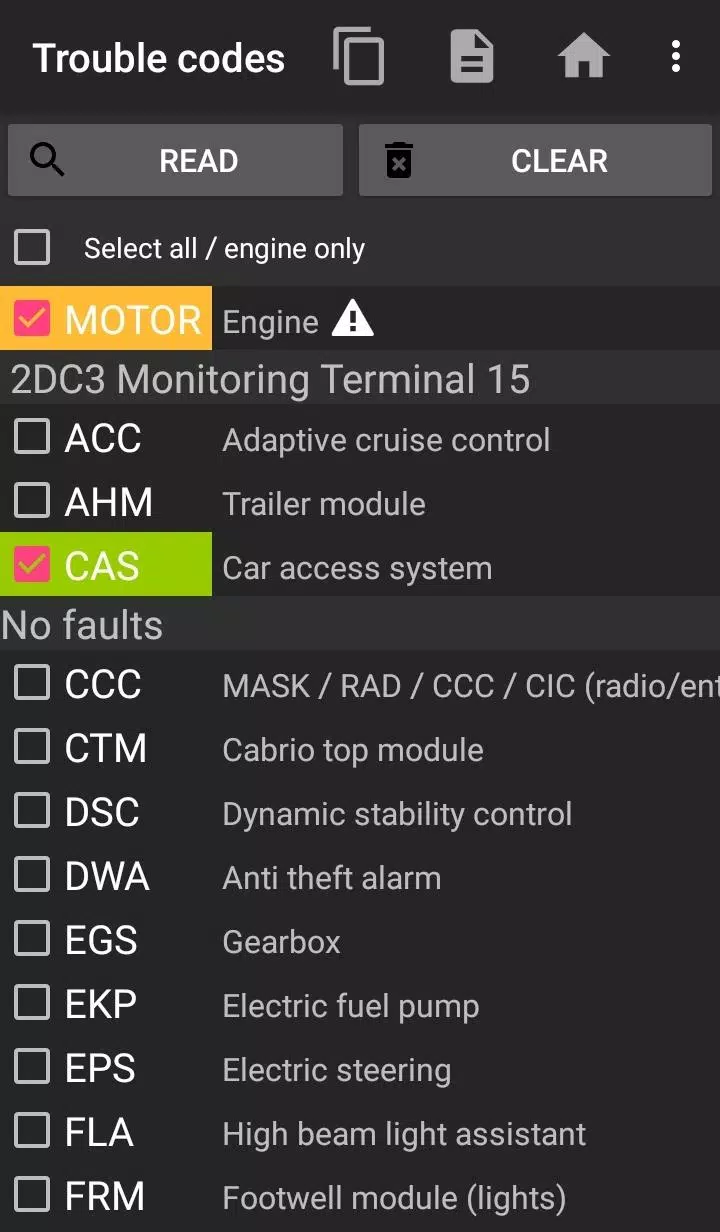
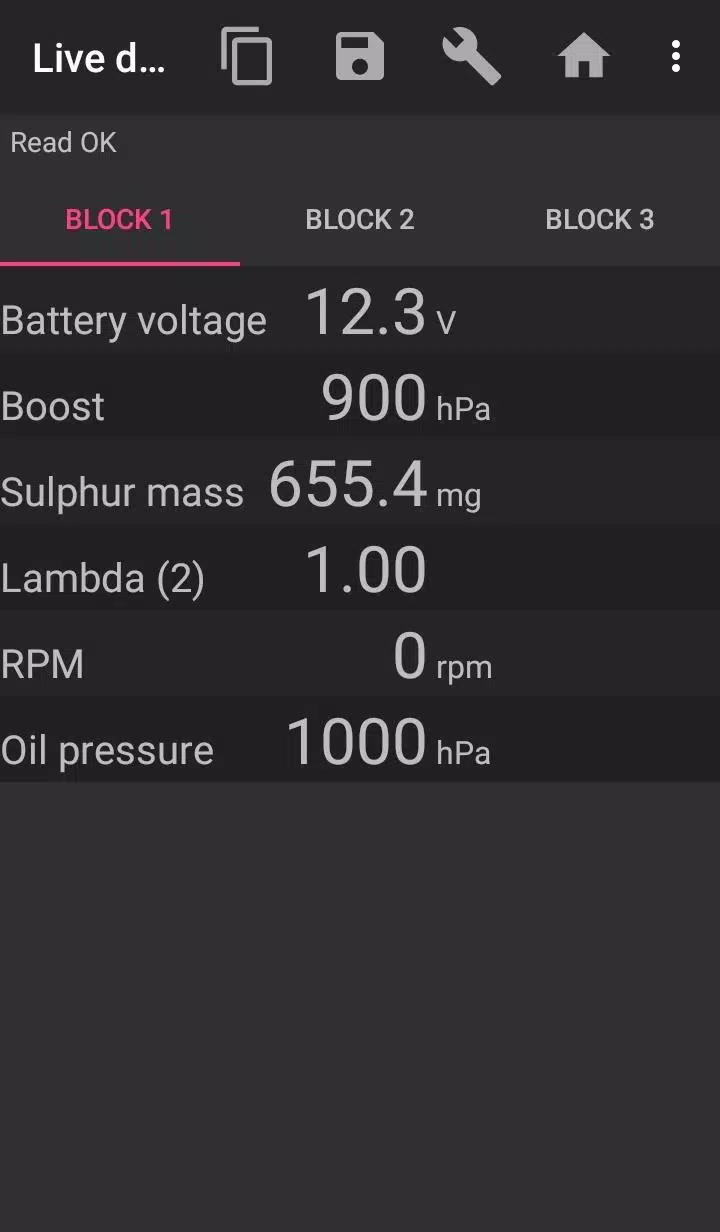
Bimmer-Tool enables you to read and clear fault codes, initiate DPF regeneration, access live engine data, and perform many other functions in BMW cars.
For vehicles manufactured before model year 2008, application features are limited, and a K+DCan USB cable connection is recommended. Wireless ELM adapter connections with pre-2008 models may not be possible, or some functions may be unavailable.
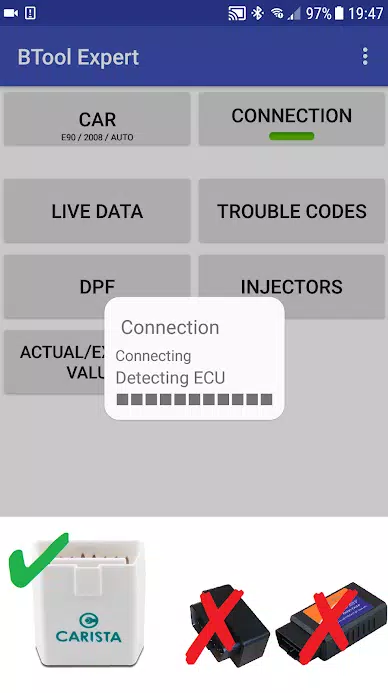
Important: This app requires a dependable OBD adapter. We recommend using a K+DCan cable, ENET adapter (for F/G series), or one of the following Bluetooth adapters:
- Vgate vLinker MC/FS/BM/FD https://www.vgatemall.com/products/
- UniCarScan UCSI-2000/USCI-2100: Select setting: D‑Can mode: MODE2 https://www.wgsoft.de/shop/obd-2-komplettsysteme/unicarscan/114/unicarscan-ucsi-2000-diagnoseadapter
https://www.bmdiag.co.uk/unicarscan-ucsi-2000-bluetooth-obd2-adapter
- Carista https://caristaapp.com/adapter
- Veepeak OBDCheck BLE https://www.veepeak.com/product/obdcheck-ble
The application allows you to:
- check DPF regeneration status and view detailed information
- initiate DPF regeneration
- reset DPF adaptation values (required after replacing the filter)
- read exhaust gas pressure
- read injector adjustment values
- read current and target values for air mass, intake manifold pressure, and fuel pressure
- log data to a CSV file for later analysis
- register battery replacement (without modifying battery properties)
- reset lamp circuits blocked due to short-circuit errors
- reset oil and brake service intervals
Supported OBD Adapters
- K+D‑Can USB: This is the recommended and most reliable adapter. You will also need a USB‑OTG cable.
- ENET Cable/Wi‑Fi Adapter: Recommended for F & G series. For ENET cable connections, you also need a USB‑C to Ethernet adapter.
- ELM327 Bluetooth: Bluetooth connections may be slower than USB. Only genuine ELM327 or PIC18‑based adapters will work. Compatibility with older engines is not guaranteed. More details below.
- ELM327 Wi‑Fi: Similar to ELM Bluetooth, Wi‑Fi connections may be less stable. On some devices, you must disable mobile data to use the Wi‑Fi adapter.
If you have questions or need assistance, please send an email. Our contact address is located at the bottom of the page.
Quick Start Guide
1) Connect the adapter to the OBD II port.
2) Turn the ignition on.
3) Connect the adapter to your phone:
* USB: Use a USB‑OTG cable to connect the adapter. Your phone will prompt you to select an app—choose Bimmer‑Tool.
* Bluetooth: Go to your phone's Bluetooth settings. Search for devices and pair with the adapter (PIN is typically 0000 or 1234).
* Wi‑Fi: Turn off mobile data. Enable Wi‑Fi and search for available networks. Connect your phone to the adapter's Wi‑Fi network.
4) Launch the app, go to the 'Car' section, and select your model and year.
5) Go to 'Connection' and choose the connection type, adapter model, and communication protocol.
6) Tap the 'Connect' button.
Limitations:
For models before 2008 and e46/e39/e83/e53, the app requires a K+DCan cable connection and only supports the engine ECU. Wireless ELM adapter connections may not be possible.
Common Issues
- Intermittent 'No response' error from the engine in vehicles up to 2007 with a Bluetooth/Wi‑Fi adapter. If this occurs sporadically, try enabling the ATWM option in the advanced connection settings.
- Connection failure: If the adapter and protocol settings are correct but the app still cannot connect to the car, force‑close all diagnostic apps (including Bimmer‑Tool) in the application manager, or restart your phone and try again.
Why Does This App Require Permissions?
- Storage: Required for USB adapter support.
- Photos/Media/Files: Allows creation of CSV files.
- Pair with Bluetooth devices/access Bluetooth settings: Required for Bluetooth adapter support.
- Full network access: Required for Wi‑Fi adapter support.
- Approximate location: Though Bluetooth can theoretically determine approximate location, this app does not access or use location data.
### What's New in the Latest Version 3.7.6‑L
Last updated on Nov 10, 2024
Diesel idle speed adjustment
Throttle body control

bimmer-tool Lite
- KategorieAuto & Fahrzeuge
- Version3.7.6
- Größe10.5 MB
- Entwicklerbimmer-tool
- AktualisierenJun 23,2026
Rate:4.0
 Herunterladen
-
Anwendungsbeschreibung
Rezensionen
Kommentare posten
Neueste Artikel
-
Tim Burtons Batman-Filme sind bei den zahlreichen Darstellungen des Kapuzen-Kreuzritters unter Fans besonders beliebt – und jetzt können Sie sie mit einer nur für eine Nacht stattfindenden Vorführung in Dolby-Kinostandorten erneut erleben.Am 25. AuguAutor : Aaron Sep 21,2026
-
 View 8 ImagesDie Nintendo Switch 2 erscheint mit einer verbesserten Version von The Legend of Zelda: Breath of the Wild – genau jenem Meisterwerk, das ursprünglich für die erste Switch erschien. Diese Nintendo Switch 2 Edition bietet visuelle VerbessAutor : Logan Sep 21,2026
Neueste Apps
-
 Picshiner - AI Photo EnhancerHerunterladen
 -
 Plantillas Para Sublimar TazasHerunterladen
 -
 InformaCastHerunterladen
 -
周南市の美容室 boy + ing(ボーイ)Herunterladen
-
 3D MannequinsHerunterladen
 -
 How to Draw AnimeHerunterladen
 -
 Weather for FinlandHerunterladen
 -
 El gran juego de OrtografíaHerunterladen
 -
 TERROR CLOUDHerunterladen
 -
Bibbia OfflineHerunterladen
Trend-Apps








Top-Nachrichten


- Pokémon startet echte Pokédex -Enzyklopädie durch Ökologen, Behavioristen
- Pokémon TCG Pocket Debüts Handel, enthüllt neue Expansion
- Pokémon TCG Pocket enthüllt Raumzeit-Smackdown-Expansion
- Wählen Sie den besten Starterkämpfer in Pokémon Fire Red
- Als Rückschläge gegen 10 US-Dollar Nintendo Switch 2 WIRCE Tour heizt sich auf, twittert Reggie Fils-Aimé die Geschichte von Wii Sports Pack-In aus IGN-Interview-und jeder weiß, wie er versucht, zu machen,
- 🔥 Valhalla Flames: Codes für Januar entlarvt!