
How to Play Pokémon TCG Pocket on PC or Mac with BlueStacks
Experience the Pokémon Trading Card Game like never before with Pokémon TCG Pocket! Collect diverse Pokémon cards, craft custom decks, and engage in strategic battles against AI or other players. This game faithfully recreates the thrill of the original card game while introducing exciting new elements.
Deck Customization and Collection Building:
Strategically select Pokémon, energy, and trainer cards to optimize your deck. Uncover new Pokémon cards, including rare and powerful additions, by opening booster packs. Log in daily to claim rewards that bolster your collection and strengthen your deck. Experiment with different card combinations and strategies to discover your winning formula. Learn from every battle – both victories and defeats – to refine your approach.
Playing Pokémon TCG Pocket on PC or Mac with BlueStacks:
Follow these simple steps to play on your Windows PC, Mac, or laptop using the BlueStacks emulator:
New to BlueStacks?
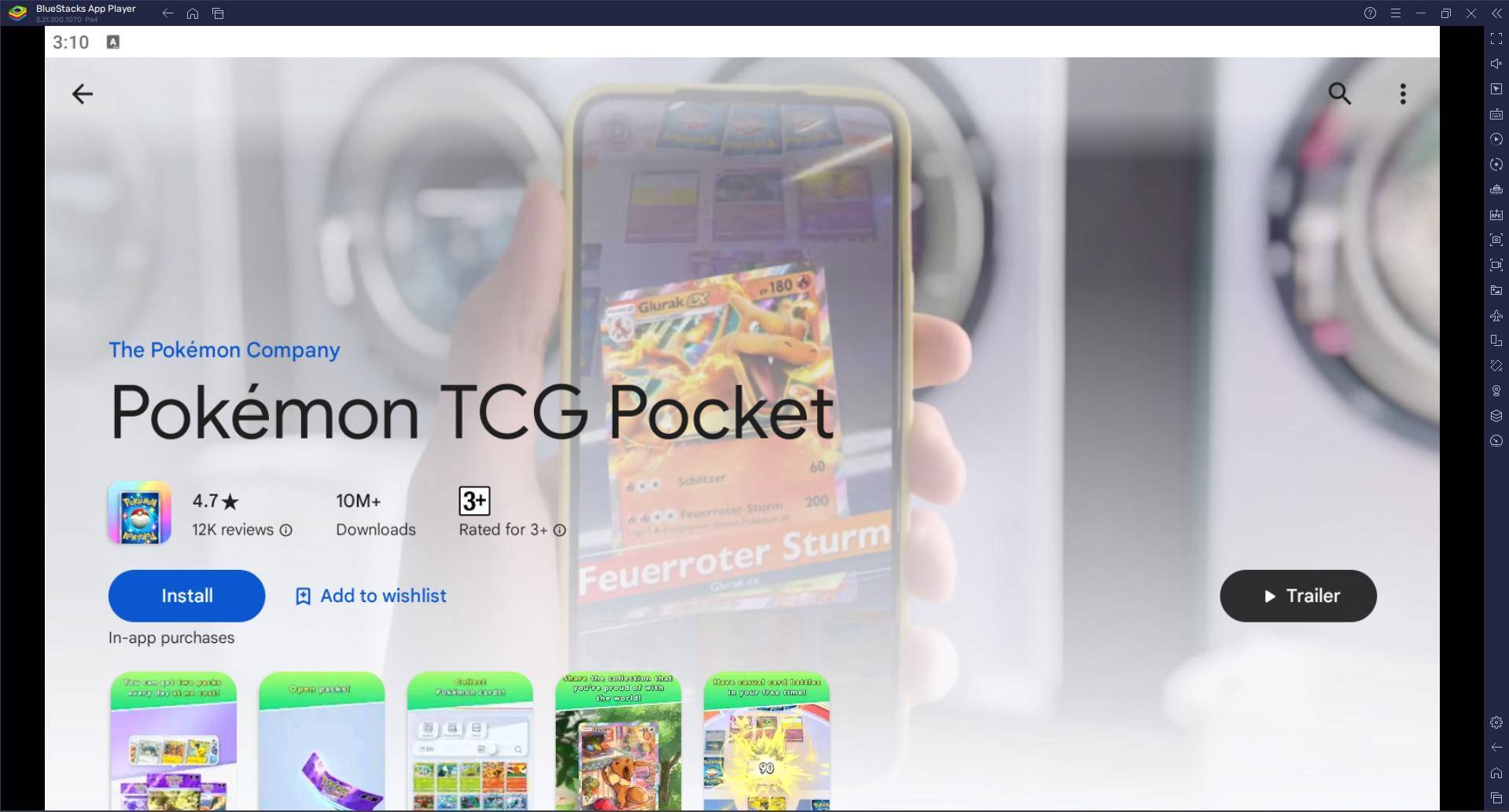
- Access the Game: Visit the game page and click "Play Pokémon TCG Pocket on PC."
- Install BlueStacks: Download and install the BlueStacks emulator.
- Sign In & Install: Sign in to the Google Play Store within BlueStacks and install Pokémon TCG Pocket.
- Start Playing! Launch the game and begin your Pokémon card collecting journey.
Using BlueStacks Air (for Apple Silicon Macs):
- Download BlueStacks Air: Go to the official BlueStacks website and download BlueStacks Air.
- Install: Open the downloaded .dmg file and drag the BlueStacks icon to your Applications folder.
- Launch & Sign In: Launch BlueStacks Air, sign in with your Google account, and install Pokémon TCG Pocket from the Play Store.
- Enjoy! Start playing!
Already Have BlueStacks?
- Launch BlueStacks: Open BlueStacks on your PC or Mac.
- Search & Install: Search for Pokémon TCG Pocket in the BlueStacks search bar, select the game, and install it.
- Play! Begin playing.
Minimum System Requirements:
BlueStacks boasts impressive compatibility, requiring only:
- OS: Windows 7 or higher, macOS 11 (Big Sur) or higher.
- Processor: Intel, AMD, or Apple Silicon processor.
- RAM: 4GB minimum.
- Storage: 10GB free disk space.
- Permissions: Administrator access.
- Graphics Drivers: Up-to-date graphics drivers.
Maximize your Pokémon TCG Pocket experience by playing on your PC or Mac with BlueStacks! For further details, visit the Pokémon TCG Pocket Google Play Store page.
-
 InZOI distinguishes itself from competitors like The Sims by including seasons and dynamic weather systems right in the base game—features that often come as paid additions elsewhere.The life simulation title has already captured players' attention wAuthor : Jacob Mar 29,2026
 -
With less than 24 hours until the Nintendo Switch 2 Direct, where Nintendo will unveil its next-generation console, a new Federal Communications Commission (FCC) filing might provide a glimpse into its plans—at least regarding the Switch 2 controllerAuthor : Aurora Mar 28,2026
-
 Rise of the KingsDownload
 -
 Reversal of DeckDownload
 -
 This is the Awahime Academy Cultural Festival!Download
 -
 Art Assemble: Home MakeoverDownload
 -
 An ignorant wifeDownload
 -
 Devil’s Academy DxDDownload
 -
 Jackpot Slot GameDownload
 -
![My Swallow Car [Beta]](https://img.laxz.net/uploads/95/1731077402672e251a14cec.webp) My Swallow Car [Beta]Download
My Swallow Car [Beta]Download -
 Virtual Families: Cook OffDownload
 -
 Пол МорфиDownload







- Spring Valley Farm Game: January 2025 Redeem Codes
- "Grand Outlaws Unleashes Chaos and Crime on Android Soft Launch"
- Mobile Legends: Bang Bang – Best Lukas Build
- WWE Superstars Join Call of Duty Warzone: Mobile Roster
- Midnight Girl is a minimalist point-and-click adventure set in Paris in the 60s, now open for pre-orders on mobile
- Video Game Song Surpasses 100 Million Streams on Spotify