
 下载
下载Easy Drawing and Painting App
轻松绘画应用
Pofi Brush is a creative art tool for mobile devices. It allows artists and creators to enjoy an exceptional painting experience and explore their artistic potential.
Pofi Brush 是一款专为移动设备打造的创意艺术工具。它让艺术家和创作者能够享受卓越的绘画体验,探索自身的艺术潜能。
Pofi Brush provides dozens of beautifully crafted brushes, a full suite of layer and color tools, an elegant and intuitive interface, and a smooth, powerful 2D Artistic Engine to deliver a complete mobile art studio experience—all features and materials are free. Whether you're a beginner or a professional, Pofi Brush helps you create stunning sketches, illustrations, comics, and cartoons on your phone or tablet, making it easy to express your creative inspiration anytime, anywhere.
Pofi Brush 提供数十款精心制作的画笔、全套图层与色彩工具、优雅直观的界面,以及流畅强大的二维艺术引擎,为您带来完整的移动画室体验——所有功能和素材均免费使用。无论您是初学者还是专业人士,Pofi Brush 都能帮助您在手机或平板电脑上创作出精美的素描、插画、漫画和卡通作品,让您随时随地轻松表达创意灵感。
Powerful 2D Artistic Engine
强大的二维艺术引擎
The powerful 2D Artistic Engine, developed by the Pofi team, is optimized for 64-bit multi-core processors and supports multiple platforms. It handles large HD canvases and multiple layers with smooth, optimized performance to ensure the best painting experience.
由 Pofi 团队开发的强大二维艺术引擎针对 64 位多核处理器进行了优化,并支持多个平台。它能够以流畅且优化的性能处理大型高清画布和多层图层,确保最佳的绘画体验。
- Canvas sizes up to 4K × 4K for clear, lifelike artwork.
- 画布尺寸最高可达 4K × 4K,呈现清晰逼真的艺术作品。
- Easy-to-use interface designed for mobile painting.
- 专为移动绘画设计的易用界面。
- Optimized for 64-bit multi-core processors for smooth, responsive drawing.
- 针对 64 位多核处理器优化,实现流畅灵敏的绘图体验。
- Use an electronic pen for realistic, low-latency strokes.
- 使用电子笔可实现逼真且低延迟的笔触效果。
- Auto-save and save-on-exit features.
- 具备自动保存和退出时保存功能。
- Full feature support for both phones and tablets.
- 手机与平板设备均享有完整的功能支持。
Professional Brush Editor
专业画笔编辑器
Pofi Brush comes with dozens of preset creative brushes across various types, each with over 40 customizable settings. Adjust the brush editor to suit your personal style and creative needs, or design your own custom brushes for unique artistic expression.
Pofi Brush 内置数十款涵盖多种类型的预设创意画笔,每支画笔均提供超过 40 项可自定义设置。您可根据个人风格和创作需求调整画笔编辑器,或设计专属定制画笔,以实现独特的艺术表达。
- Built-in collection of well-designed brushes for sketching, inking, textures, artistic effects, and more.
- 内置精心设计的画笔合集,涵盖素描、勾线、纹理及艺术特效等多种用途。
- Each brush features three modes: Brush, Eraser, and Smudge.
- 每支画笔均具备三种模式:画笔、橡皮擦和涂抹。
- Over 40 adjustable settings per brush, plus a library of preset nib shapes and textures.
- 每支画笔拥有超过 40 项可调设置,并附带预设笔尖形状与纹理库。
- Organize, sort, and create brushes in groups for better management.
- 支持按组组织、排序和创建画笔,便于高效管理。
- Anti-flutter stroke settings for improved brush flow.
- 防抖动笔触设置,提升画笔流畅度。
- Finger-painting mode simulates pressure, allowing natural brush-like control with your fingertip.
- 手指绘画模式模拟压力感应,让您指尖也能实现自然如刷的操控体验。
- Full support for electronic pen features like tilt and pressure for a realistic brush feel.
- 全面支持电子笔倾斜与压感功能,还原真实画笔手感。
Advanced Multi-layer System
高级多层系统
Pofi Brush offers a robust multi-layer system with grouping, layer effects, and adjustments, giving you precise control to build stunning artwork layer by layer.
Pofi Brush 提供强大的多层系统,支持图层分组、图层特效与调整功能,助您精准掌控每一层细节,逐层构建惊艳作品。
- Quickly preview and locate layers with the Layer Preview feature.
- 通过“图层预览”功能快速查看并定位所需图层。
- Drag-and-drop grouping, merging, and deleting for convenient layer management.
- 支持拖放式分组、合并与删除操作,便捷管理图层。
- 20 layer functions, including sorting, show/hide, lock/unlock, opacity, multi-select, and grouping.
- 提供 20 项图层功能,包括排序、显示/隐藏、锁定/解锁、不透明度调整、多选及分组等。
- 27 layer blending modes: Standard, Darken, Multiply, Color Burn, Linear Burn, Lighten, Screen, Color Dodge, Linear Dodge, Overlay, Soft Light, Hard Light, and more.
- 提供 27 种图层混合模式:标准、变暗、正片叠底、颜色加深、线性加深、滤色、屏幕、颜色减淡、线性减淡、叠加、柔光、强光等。
Full-featured Color Tools
全功能色彩工具
Provides a variety of color panels and tools painters need, making it easy and quick to find the perfect colors for your work.
提供多种画家所需的色彩面板与工具,让您轻松快捷地为作品找到完美配色。
- 4 color panels: circular palette, square palette, HSB numerical values, and grouped color swatches.
- 四种颜色面板:圆形调色板、方形调色板、HSB 数值输入及分组色样。
- 2 color picking methods: enter hex codes or use the long-press color picker.
- 两种取色方式:手动输入十六进制代码或使用长按取色器。
- 6 color swatch functions: group swatches, rename groups, sort groups, sort swatches, overlay swatches, and delete swatches.
- 六种色样功能:分组、重命名组、排序组、排序色样、叠加色样及删除色样。
More Highlights
更多亮点
- Phone interface supports half-screen and full-screen expanded views.
- 手机界面支持半屏与全屏扩展视图。
- Tablet interface supports large expanded view and small draggable view.
- 平板界面支持大型扩展视图和小型可拖拽视图。
- Canvas rotation and zoom.
- 画布旋转与缩放功能。
- Auto-archive and save on return.
- 自动归档并在返回时保存。
- Export artwork as PNG or JPG image files.
- 支持将作品导出为 PNG 或 JPG 图像文件。
If you have questions or suggestions while using Pofi Brush, please contact us at [email protected].
若您在用 Pofi Brush 过程中有任何疑问或建议,请通过 [email protected] 联系我们。
Privacy Policy: https://brush.pofiapp.com/agreement/privacy
隐私政策:https://brush.pofiapp.com/agreement/privacy

-
程序描述


用户评价
发表评价
最新文章
-
 《命运:重生》现已在 iOS 和 Android 平台开放购买深入幽暗深渊,开启经典的地下城探险之旅无职业限制,在这款等轴视角的砍杀游戏中打造你的完美角色如果你渴望体验激烈的动作角色扮演游戏(ARPG)快感,却对近期的作品感到失望,那么你的等待终于结束了。正如美酒与奶酪,经典之作往往随时间推移而愈发醇厚。《命运:重生》(Fate: Reawakened)正是如此——这款备受喜爱的系列最新重制版现已登陆 iOS 和 Android 平台,可供购买。资深玩家会立刻认出《命运》系列的遗产及其对 ARP作者 : Ethan Oct 06,2026
 -
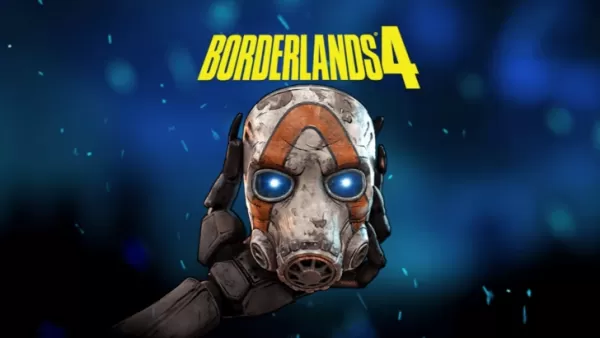 Gearbox Software 和 2K 公布了传奇刷宝射击游戏系列《无主之地》的最新作品——《无主之地 4》!了解关于其发售日期、支持平台以及关键公告里程碑的所有信息。← 返回 《无主之地 4》主文章Borderlands 4 Release Date and Time2025年9月12日发售;Switch 2版于10月3日发售玩家可从 2025年9月12日 起在 PlayStation 5、Xbox Series X|S 以及 PC(通过 Steam 或 Epic Games) 上体验《无作者 : Nicholas Oct 06,2026







热门应用








热门新闻


热门专题