Steps to Permanently Delete Your LoL Account
This guide explains how to permanently deactivate your League of Legends account as of 2025. Important note: This action will permanently remove access to all games under your Riot Games account.
Table of Contents
- Step-by-Step Deactivation Guide
- Account Deletion Consequences
- Account Recovery Possibilities
- Common Reasons for Account Deletion
Step-by-Step Deactivation Guide
Step 1: Log into your Riot Games account on their official website. Locate the "My Account" section in the left sidebar, then select "Settings" from the dropdown menu.

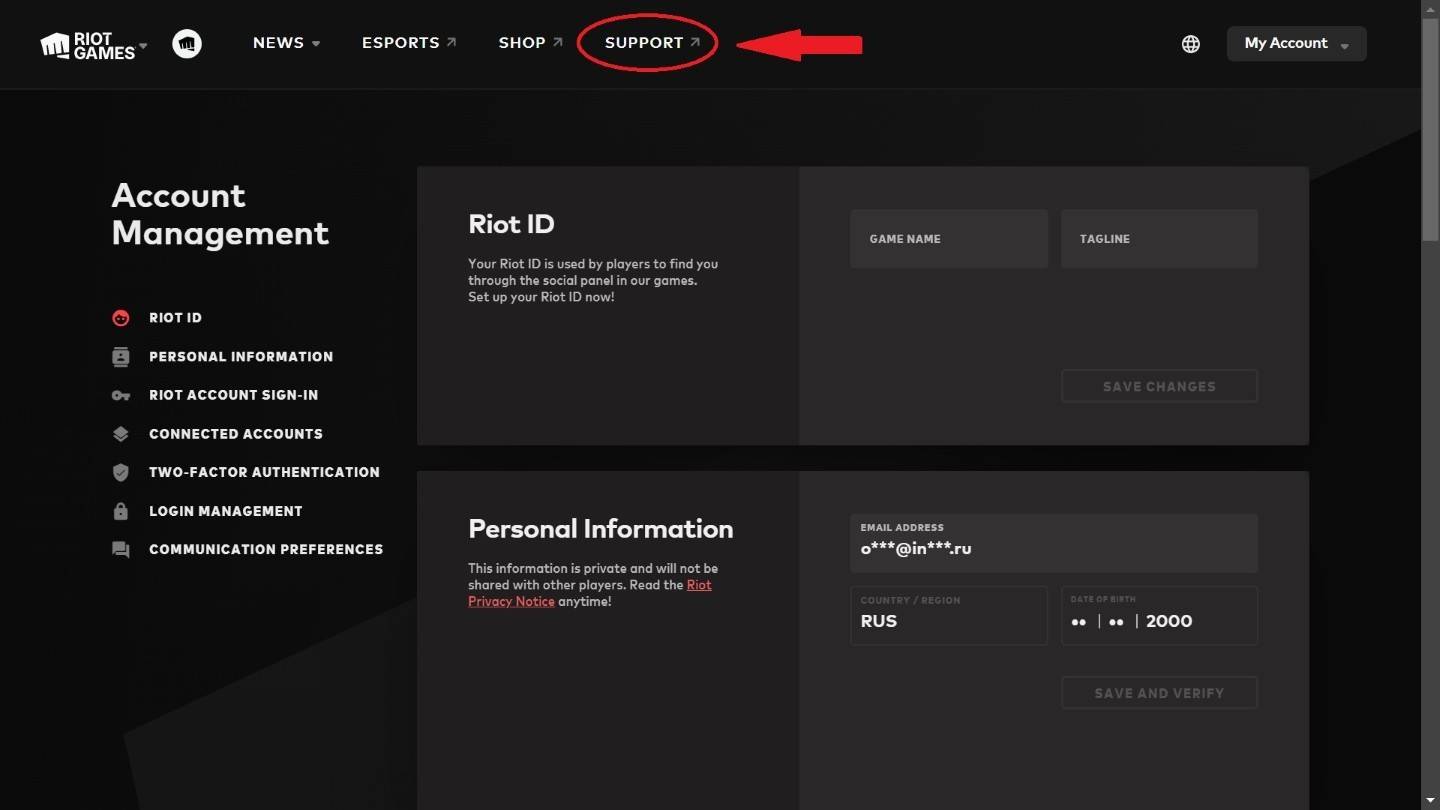
Step 2: Navigate to the "Support" button at the top of your account settings page and click to proceed.
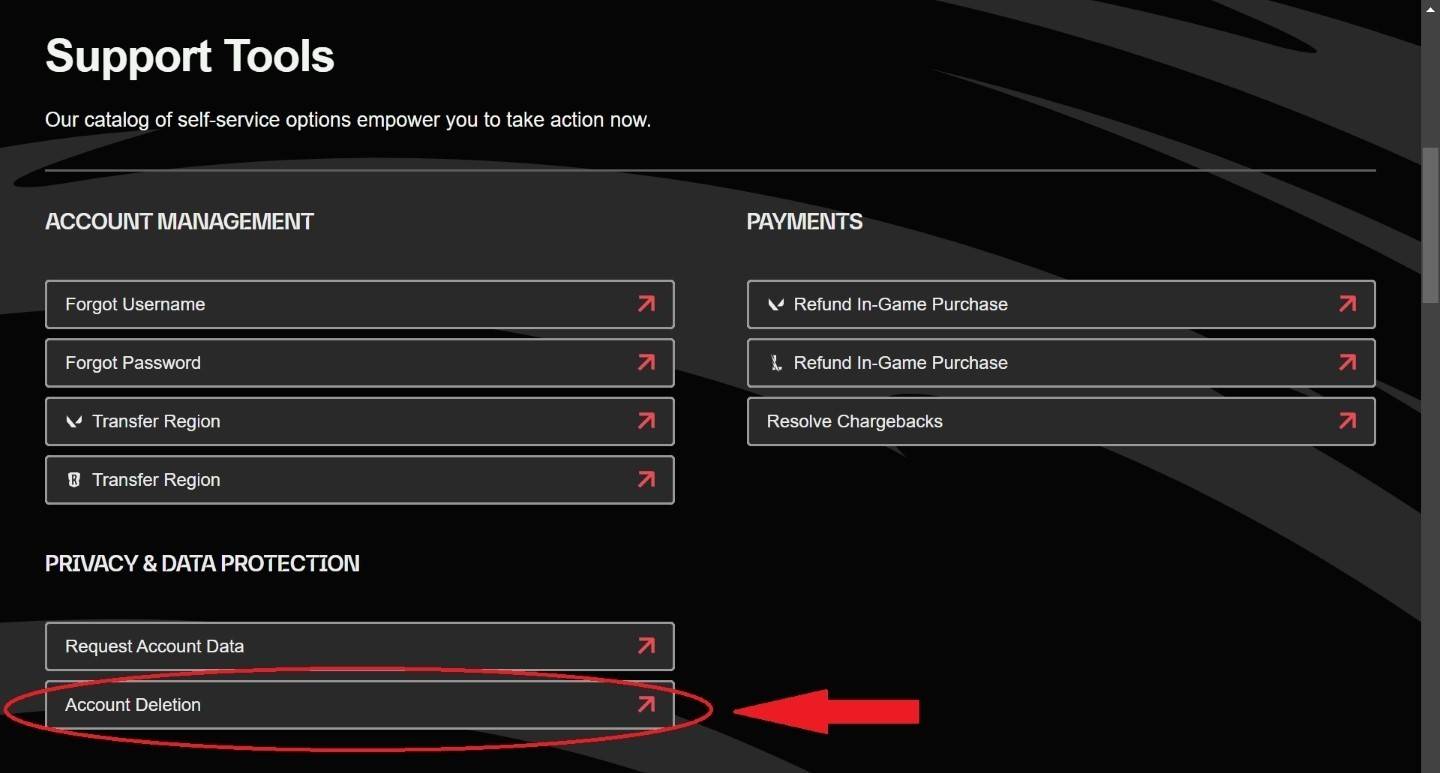
Step 3: Scroll down to the "Support Tools" section on the support page. Find and select the "Account Deletion" option.
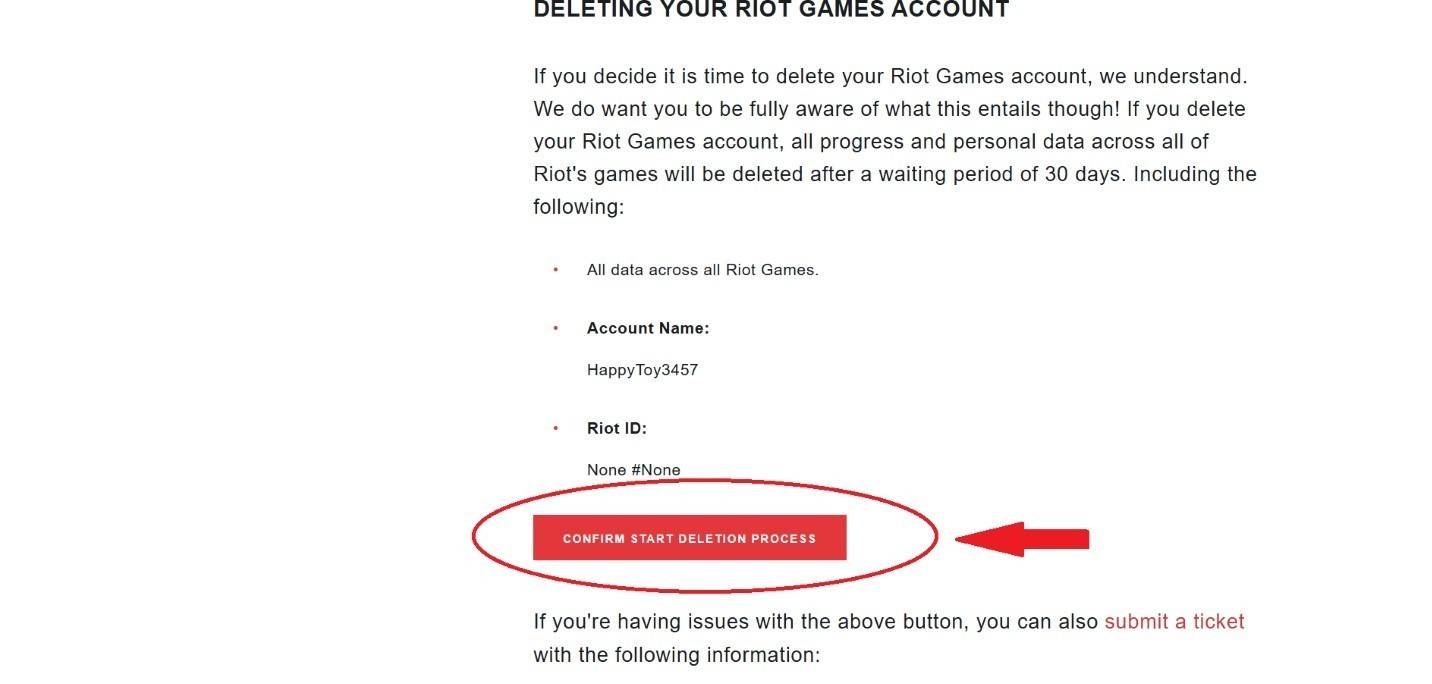
Step 4: Confirm your decision by clicking "Start Deletion Process." Remember the 30-day waiting period before permanent removal, during which you can cancel the request. We recommend removing any payment methods beforehand.
Account Deletion Consequences
After initiating deletion, your account enters a 30-day suspension period before permanent removal. This erases all game data including:
- Summoner name (becomes available to others)
- All purchased skins and cosmetics
- Match history and ranking data
Note: You may request cancellation within the first 25 days of the waiting period.
Account Recovery Possibilities
Account recovery after 30 days is impossible. In cases of unauthorized deletion (like account hacking), Riot support may assist if contacted immediately, though successful recovery isn't guaranteed after complete deletion.
Common Reasons for Account Deletion

Players delete accounts for various reasons:
- Gaming addiction intervention
- Severe time management issues
- Desire for complete digital detox
- Financial control concerns
For gaming addiction cases, complete account deletion can be more effective than temporary measures, helping individuals refocus on education, careers, or personal relationships. Some former players report improved productivity and mental health after removing this gaming access completely.
-
 In what’s surely the most open secret in recent gaming news, Bethesda has quietly released The Elder Scrolls IV: Oblivion Remastered for Xbox, PS5, and PC. If you’re a PC gamer—or even a Steam Deck owner, since it’s officially verified on Deck—you caAuthor : Emma Apr 28,2026
 -
As Stellar Blade surpasses 3 million global sales, director Hyung-tae Kim confirmed its sequel will feature a "more substantial" narrative—though development priorities initially led to significant story cuts in the first installment.Speaking with ThAuthor : Charlotte Apr 25,2026















![A Father’s Sins – Going to Hell [Ch. 7 Public] By Pixieblink](https://img.laxz.net/uploads/67/1719578270667eae9eb6a75.jpg)