Download
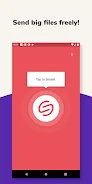
Experience seamless file sharing with Smash, the simplest file transfer app available. Send photos, videos, music, and documents effortlessly from your mobile device or tablet – perfect for the office, construction site, vacation, or any emergency situation.

Smash requires no registration; simply download, install, and start transferring. Upon completion, a shareable link is generated for easy distribution via your preferred apps. The free version boasts unlimited file sizes, no compression, 7-day file availability, and robust data encryption. Upgrade to Smash Pro for extended 30-day file availability, personalized customization options, and more. Download Smash today and simplify your file sharing!
Key Features of Smash:
- Intuitive Interface: Smash's user-friendly design ensures quick and easy large file transfers.
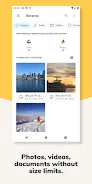
- Versatile File Support: Transfer photos, videos, music, and documents with ease.
- Registration-Free: Start using Smash immediately – no account creation needed.
- High-Fidelity Transfers: Files are sent without compression, preserving original quality.
- Secure Encryption: Data is encrypted in transit and at rest for maximum security.
- Smash Pro Enhancements: Pro users enjoy customizable transfers, extended file access, and unlimited file sizes.
In short, Smash is a versatile and user-friendly app for secure and efficient file transfers. Its simple interface and broad file type support make sending photos, videos, music, and documents a breeze. The absence of registration requirements and the inclusion of data encryption enhance convenience and security. Smash Pro users benefit from additional customization options. Download Smash now and experience the difference!